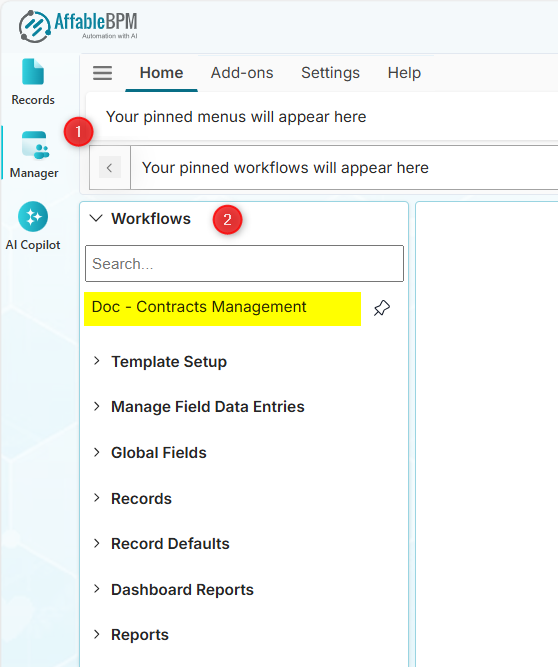
Getting Started for Managers
Prerequisites
Before diving into manager-specific features, make sure you're familiar with the basics:
- User Interface → Learn about the main interface, navigation, and layout
- Help Tab → Access help resources and support
- User Menu Bar → Manage your profile and settings
These interface elements work the same for all roles, so refer to the Basic User Guide for detailed information.
-
Workflow Access - The Administrator will grant you access to the appropriate workflows. Once access is granted, the Workflows menu will list all workflows that you can manage.